

Visual Selection
Move players on a familiar board, work privately in My Board and keep the official selection separate in Shared Master.
Built by a selector, for selectors.
Less administration. More selection.
The familiar magnet board, ready wherever your selectors meet. Move players, compare the evidence and bring the agreed side together — with your club’s competitions in one place.

Try it for yourself
Move a player to an empty position, or onto another player to swap them. The board responds straight away.
Drag a magnet, or tap a name then its destination. You can use Enter or Space on a keyboard, too.
Choose a player to get started.
Bring your club on board
Start with your club’s public BowlsLink record. Confirm the competition and sides, preview your board, then nominate the Owner for BowlsSelect approval.
Choose your state and region, then search for your club. Check the name and location before continuing.
BowlsSelect uses public BowlsLink Results data to find the competitions connected to your club. Finding a club doesn’t grant access to its workspace.
Find your club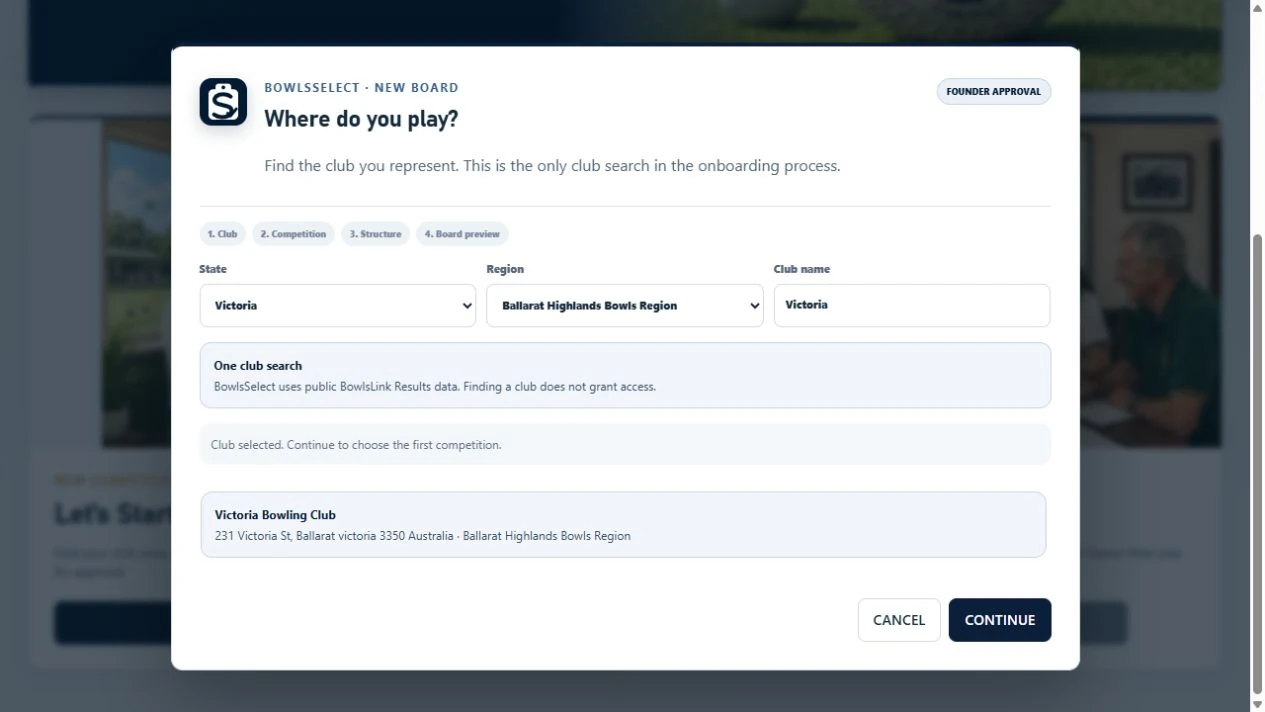
Choose one competition family, such as Saturday Pennant, and select the sides your club fields. Check the playing day, division names and rink counts.
Preview the board before submitting. Saturday, midweek and night competitions each have their own workspace, so teams and results keep their competition context.
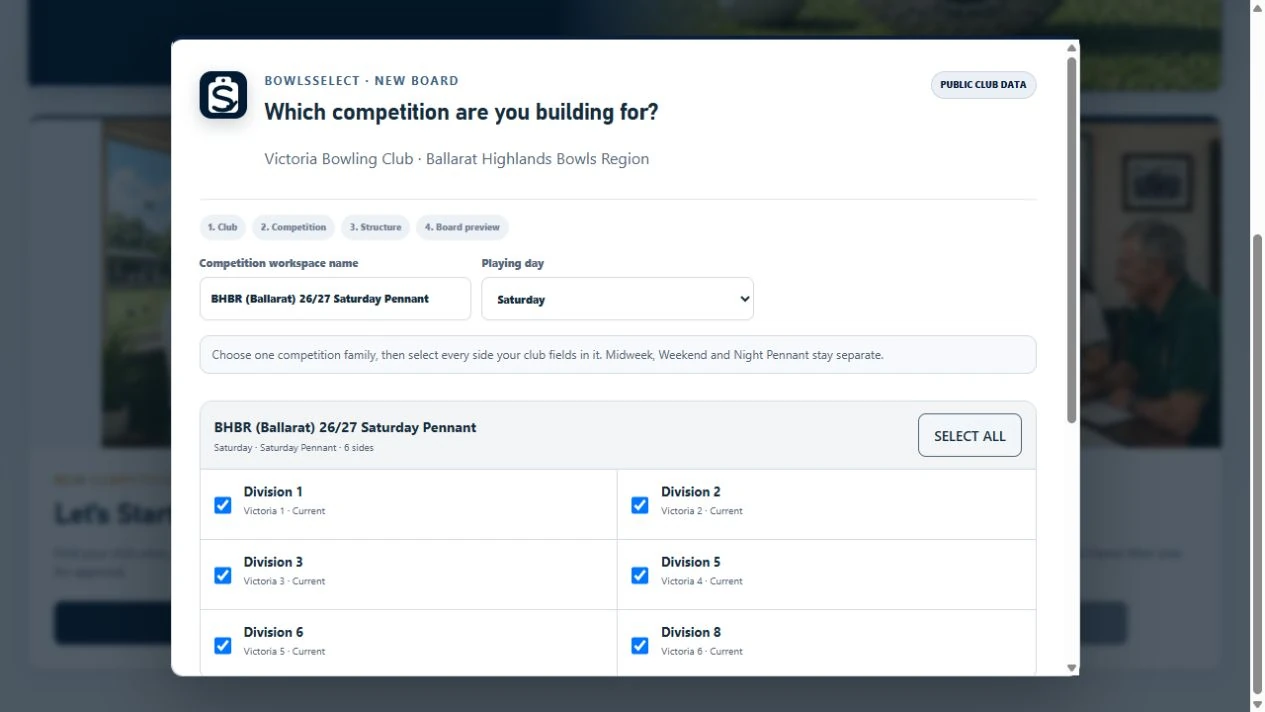
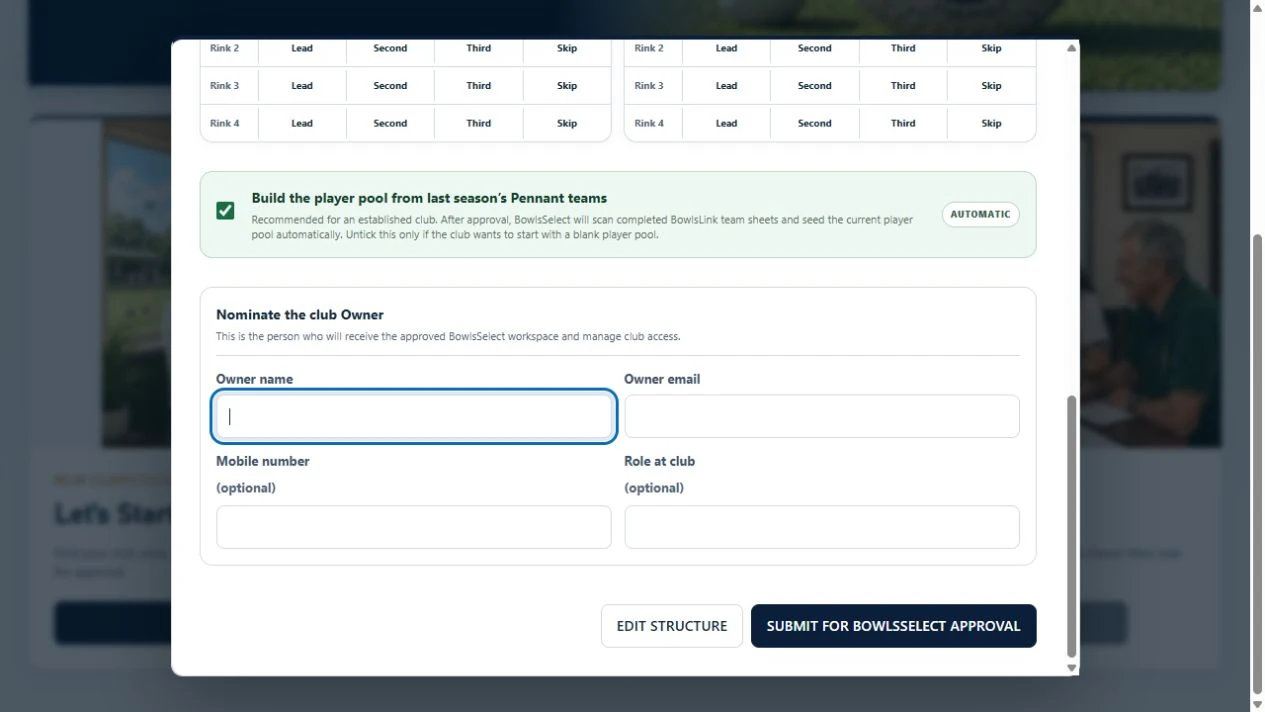
Leave Build the player pool from last season’s Pennant teams selected. After approval, BowlsSelect can import names from available completed BowlsLink team sheets.
Nominate your club Owner and submit the setup for approval. The approved Owner receives an access email. Review the imported list, add newcomers and check availability before selecting.
Public team sheets may not include every member. Private contact details are managed separately.
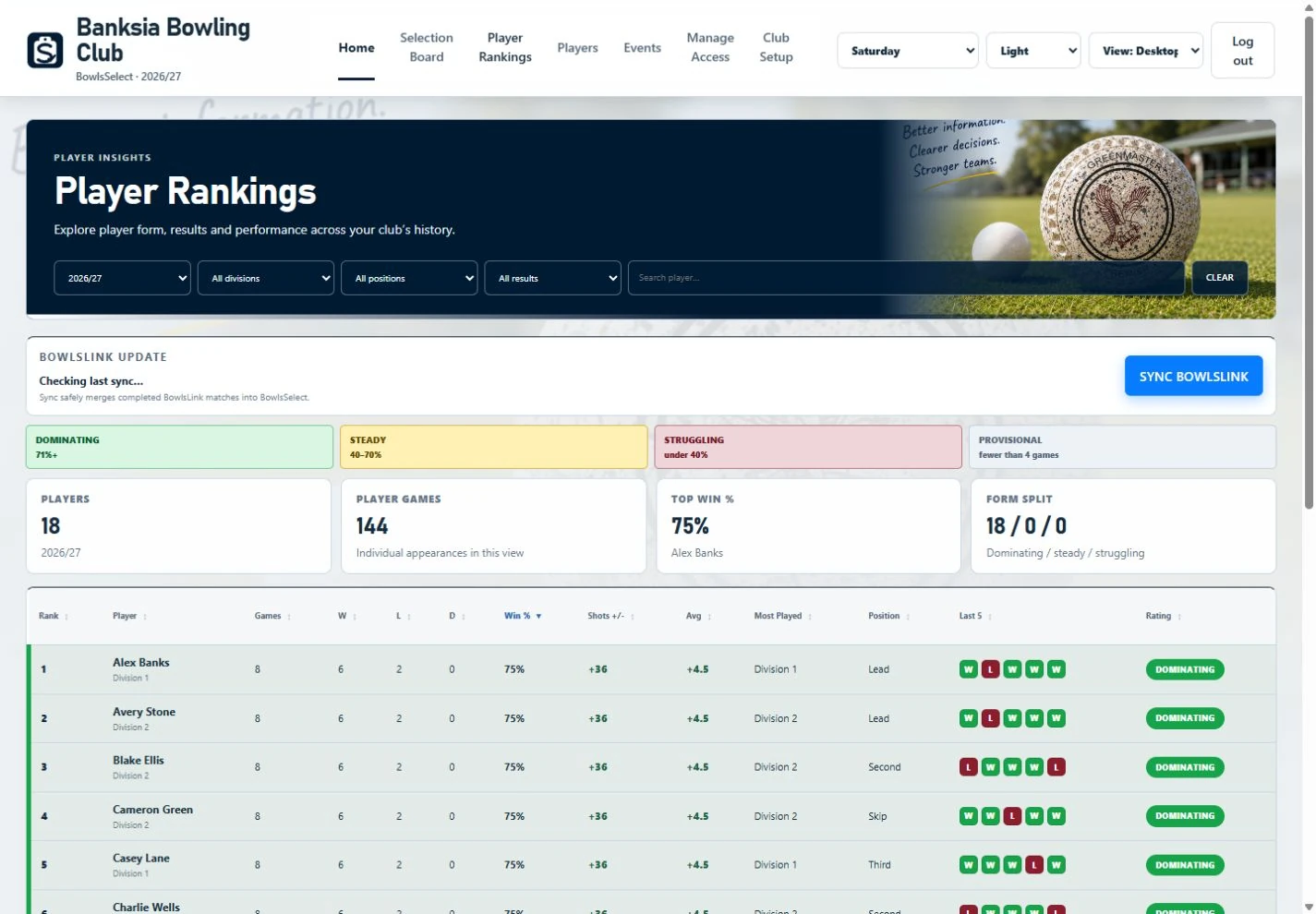
Once the competition is ready, an authorised Owner or Chairperson opens Player Rankings → Sync BowlsLink and selects available previous seasons to import.
BowlsSelect can offer up to five previous seasons where data is available. Weekly BowlsLink Results imports then update current-season rankings. Form and Finals Watch help the committee review the side.
Player names and rankings history are separate imports. Your committee makes the selection.
One club, more than one competition
After approval, the club Owner can return to the Selection Hub and choose Let’s Start Selecting to add another competition. Review its sides and structure, then save it. Existing competitions remain in place.
For a competition linked to verified BowlsLink identities, the player pool imports automatically from available previous-season results after saving. A manual competition starts with a blank pool. Rankings history is synced separately.
Use Continue Selecting and the competition menu to return to the right board. Assign Chairperson, Selector and Viewer access for each competition.
Read the setup guideA bowls-specific club platform
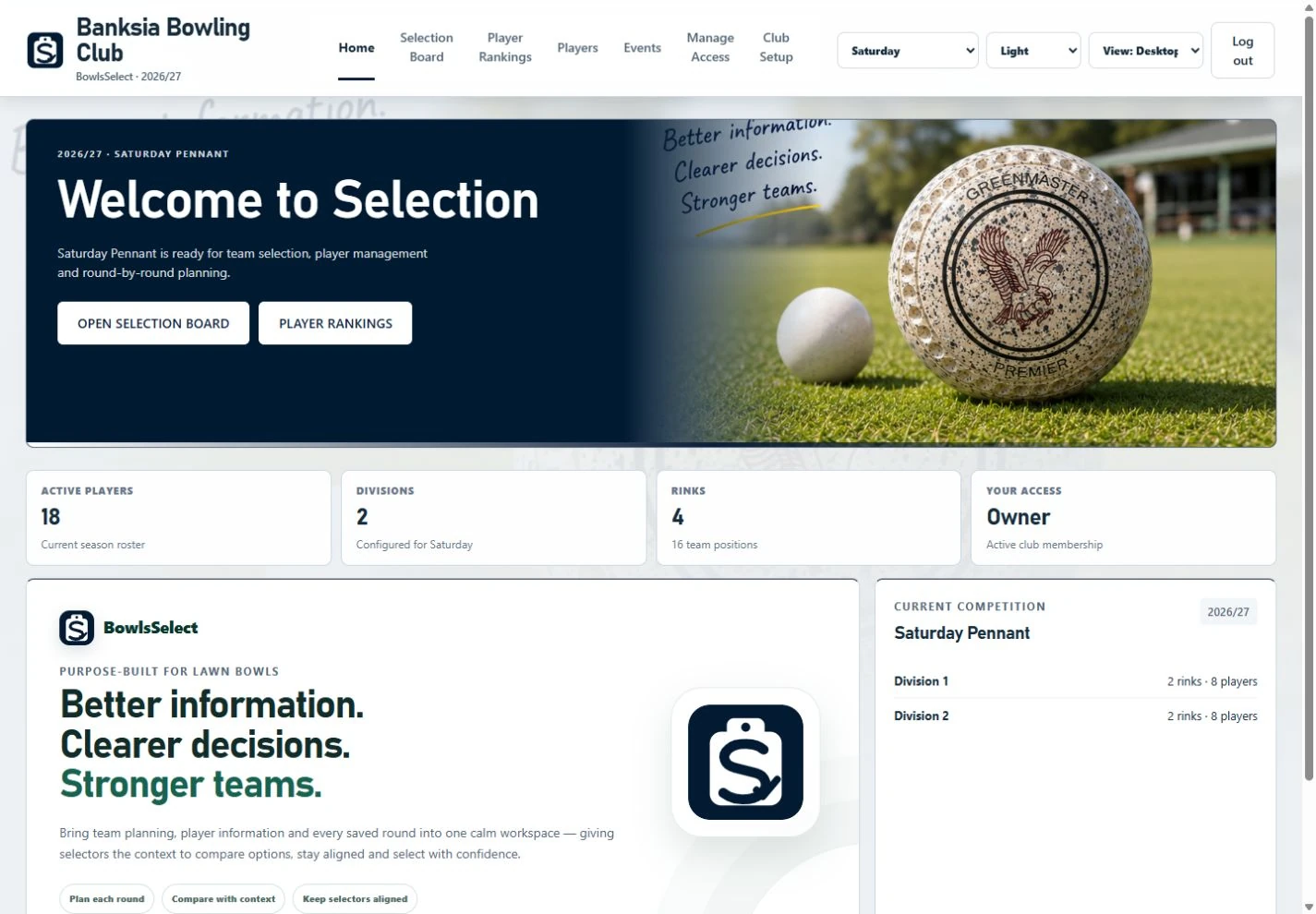
BowlsSelect keeps the part selectors already understand — seeing the whole side, moving player magnets and talking through the team together — while removing the paperwork, duplicate entry and scattered information around it.
Move players on a familiar board, work privately in My Board and keep the official selection separate in Shared Master.
Bring availability, history, rankings, role context and current-season evidence into the same selection conversation.
Manage players, contacts, competitions, access and club setup from one controlled workspace.
Support practice matches, club events and tournament administration without mixing those records into official Pennant data.
A clear weekly rhythm
Create the competition structure, maintain the player list and give people the access they need.
Selectors work in their own My Board using the player pool, availability and selection tools.
Use rankings, history, form, Finals Watch and round context as decision support — never as an automatic selector.
Authorised officials publish the agreed Shared Master, check readiness and generate the club outputs they need.
Core Selection
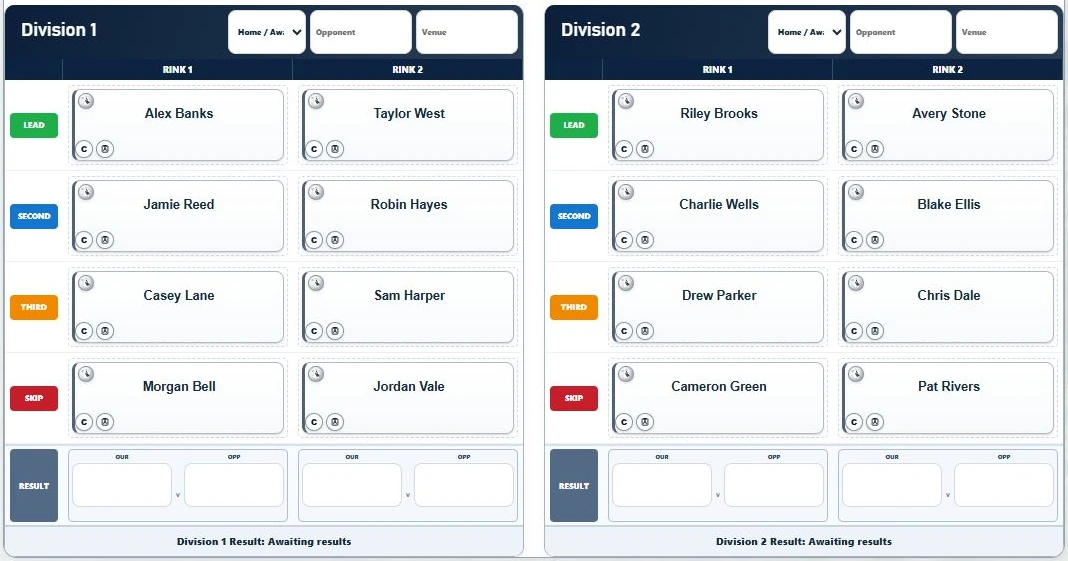
Player magnets move across divisions and positions, the player pool stays close at hand, and selectors can work without turning every experiment into the official club side.
My Board is private working space. Shared Master is the official competition board. That separation protects exploratory work and keeps final selection deliberate.
Player Insights
Player Rankings bring together games, results, form, role history and recent performance. Finals Watch highlights current-season eligibility risk for review.
Practice Match Rankings remain separate from official Pennant rankings so different kinds of evidence stay in the right place. The committee still selects the side.
New · Performance Centre
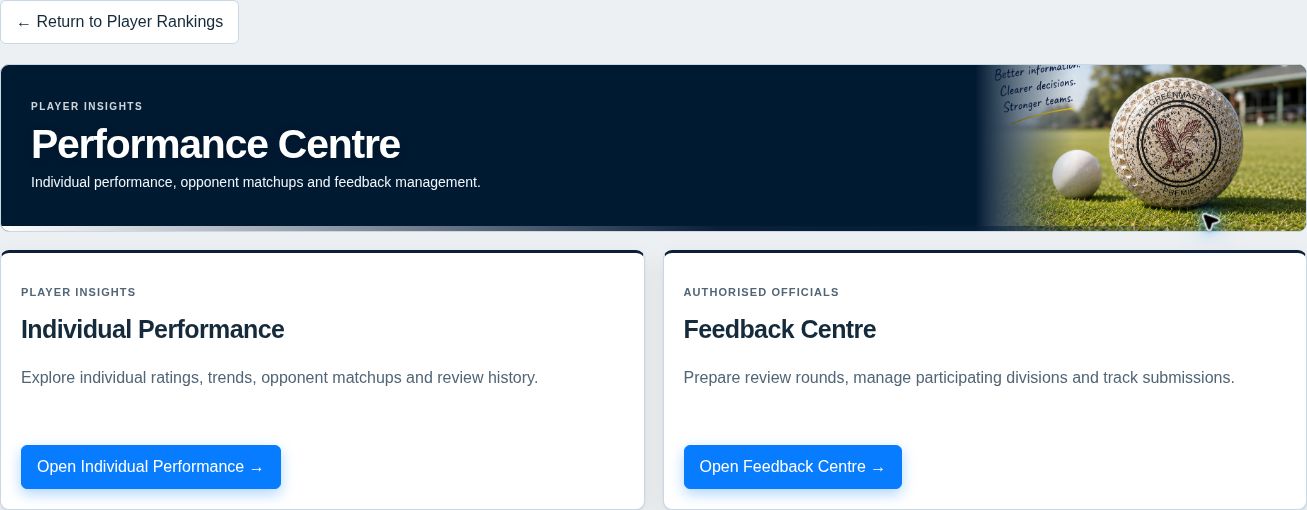
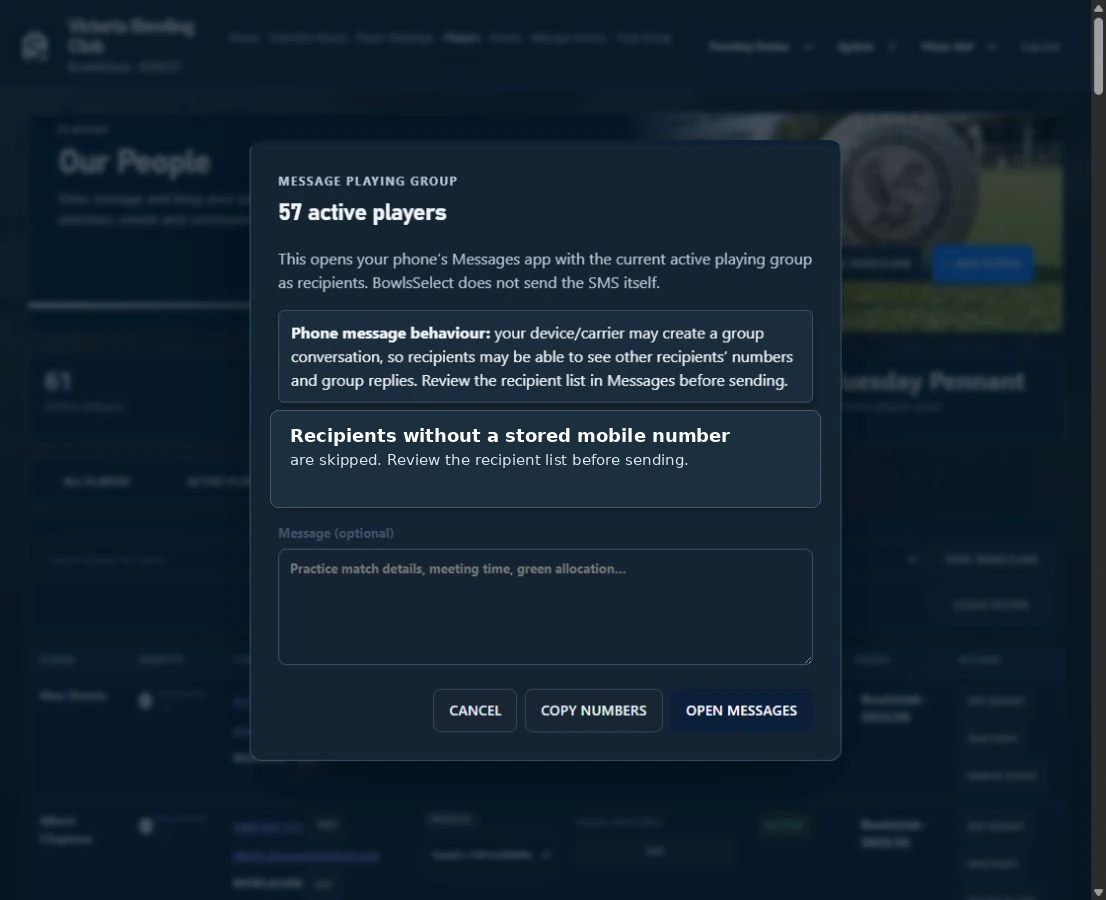
Collect structured feedback from the Skip and Third, send each reviewer a private link from your phone, and explore individual ratings, trends and opponent matchups.
Your club chooses whether to use it. Owners and Chairpersons manage the workflow; assigned reviewers need no extra account.
BowlsLink Results Rankings stay independent. Texts open as drafts for you to review and send. Nothing is sent automatically.
Club Administration
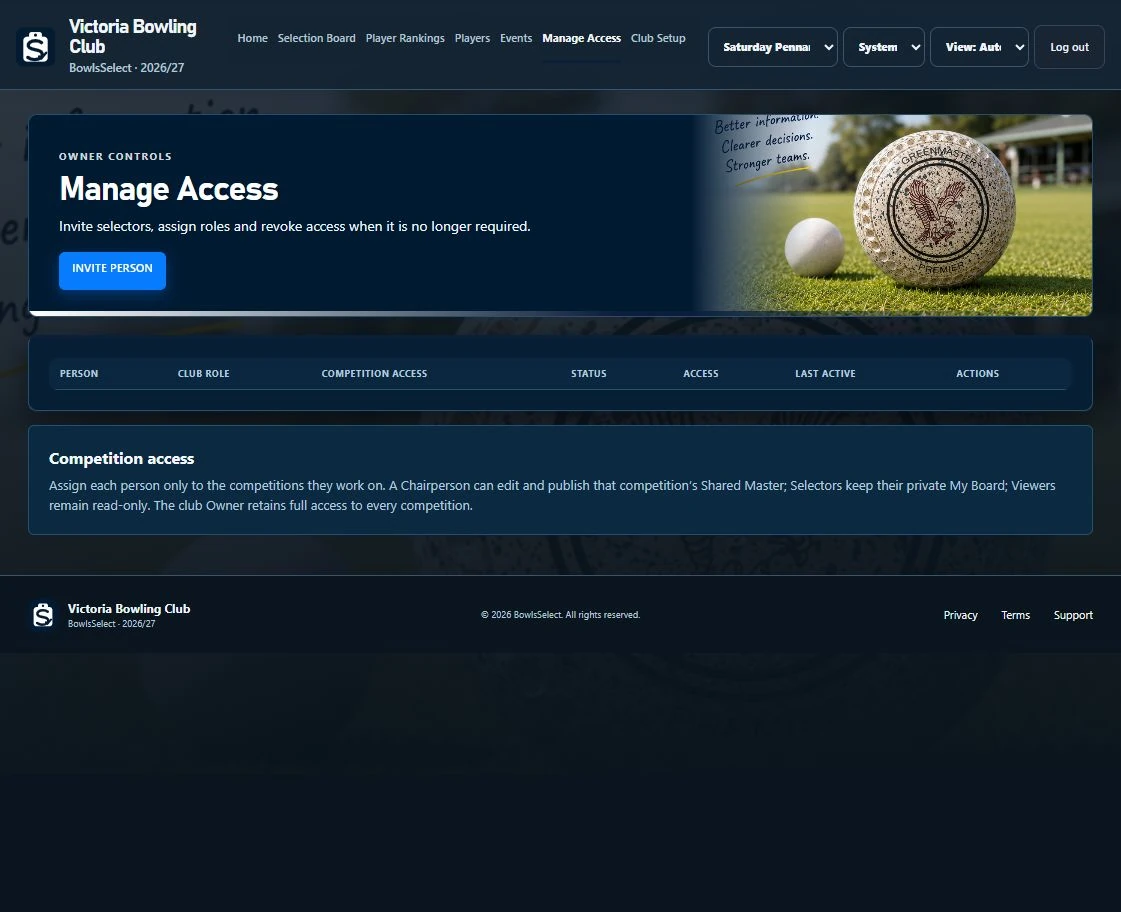
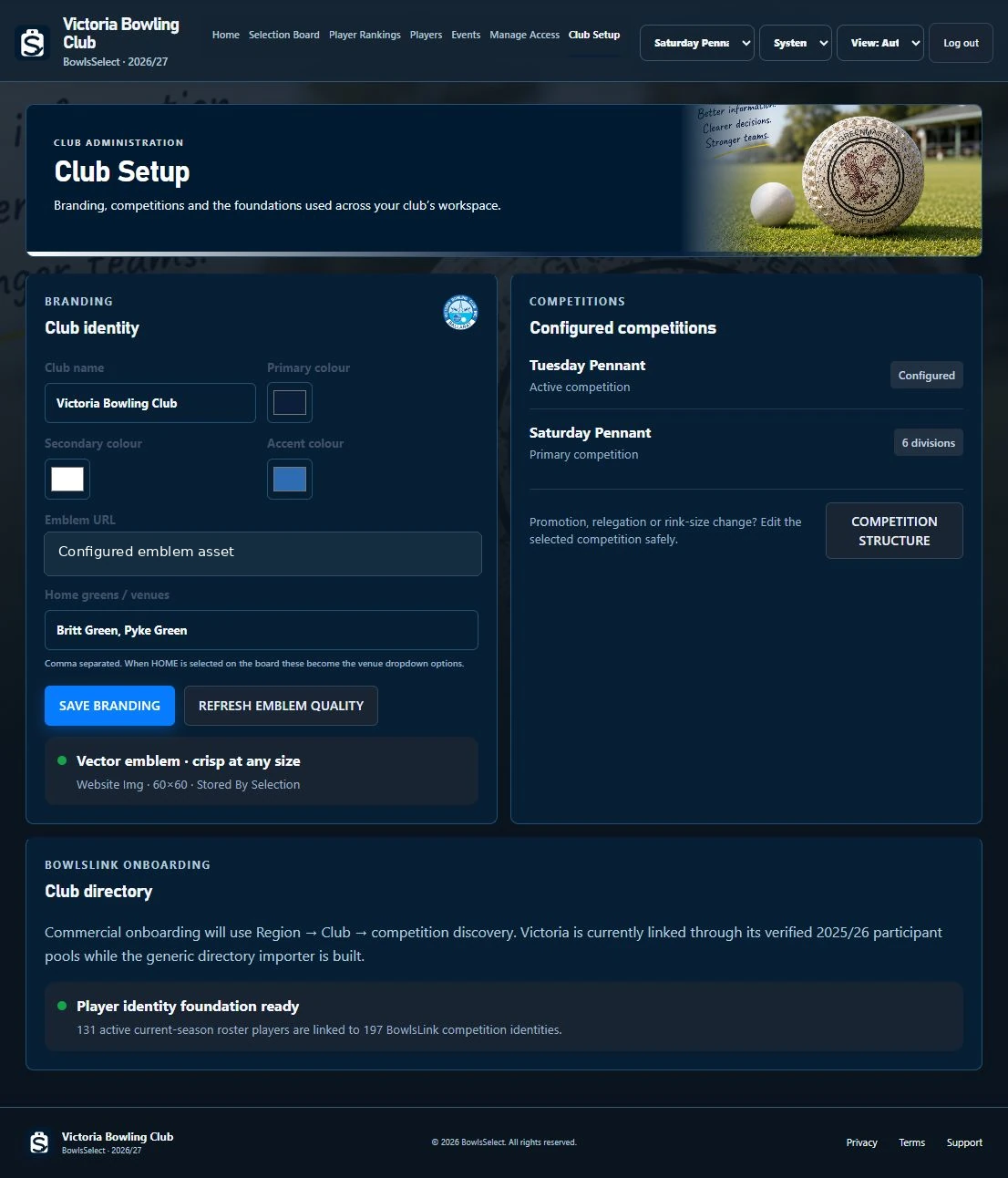
Owners and authorised administrators can maintain players, contacts, competition structures, availability and access without creating another spreadsheet for every job.
Events
Practice Matches, Tournaments and Club Events each have their own bowls-specific workflow while sharing the club’s identity, permissions and presentation.
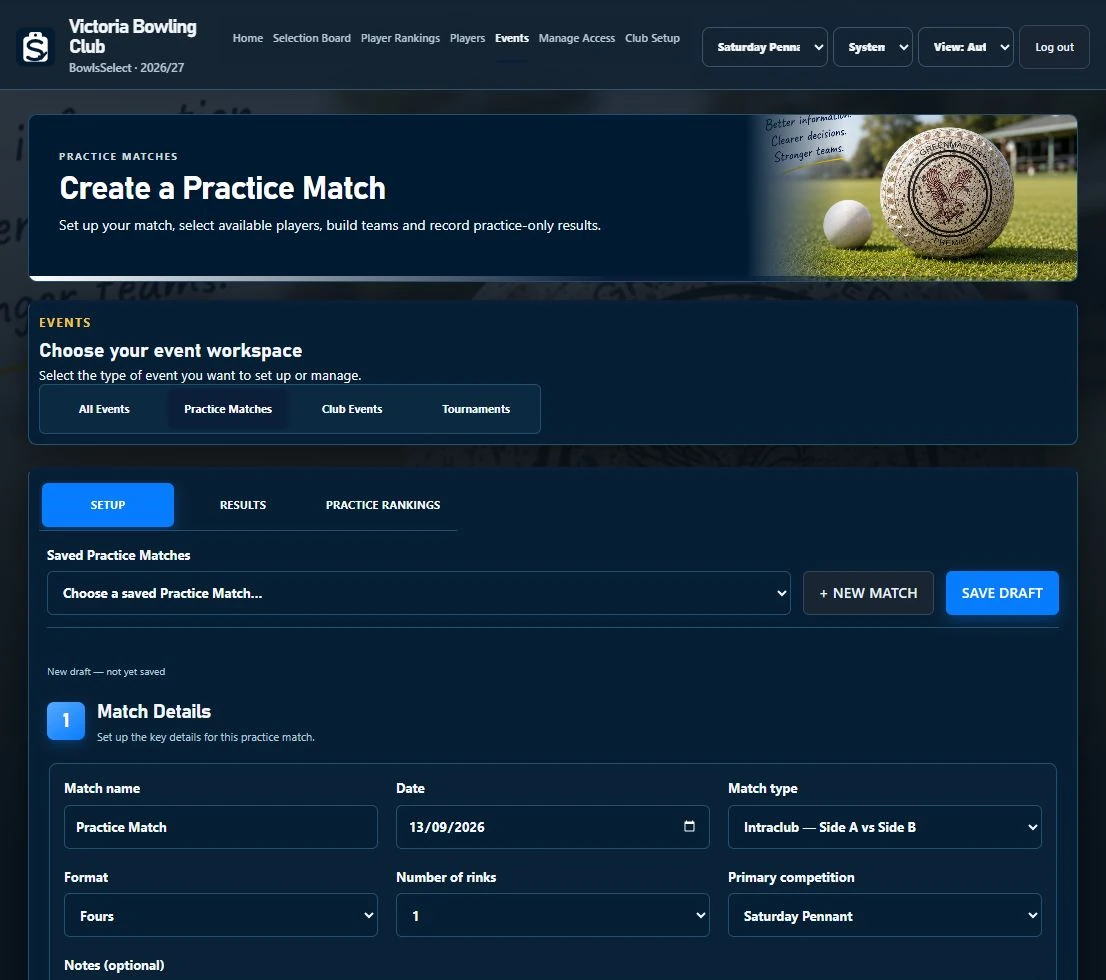
Build trial sides, manage availability, enter results and keep practice-only rankings separate.
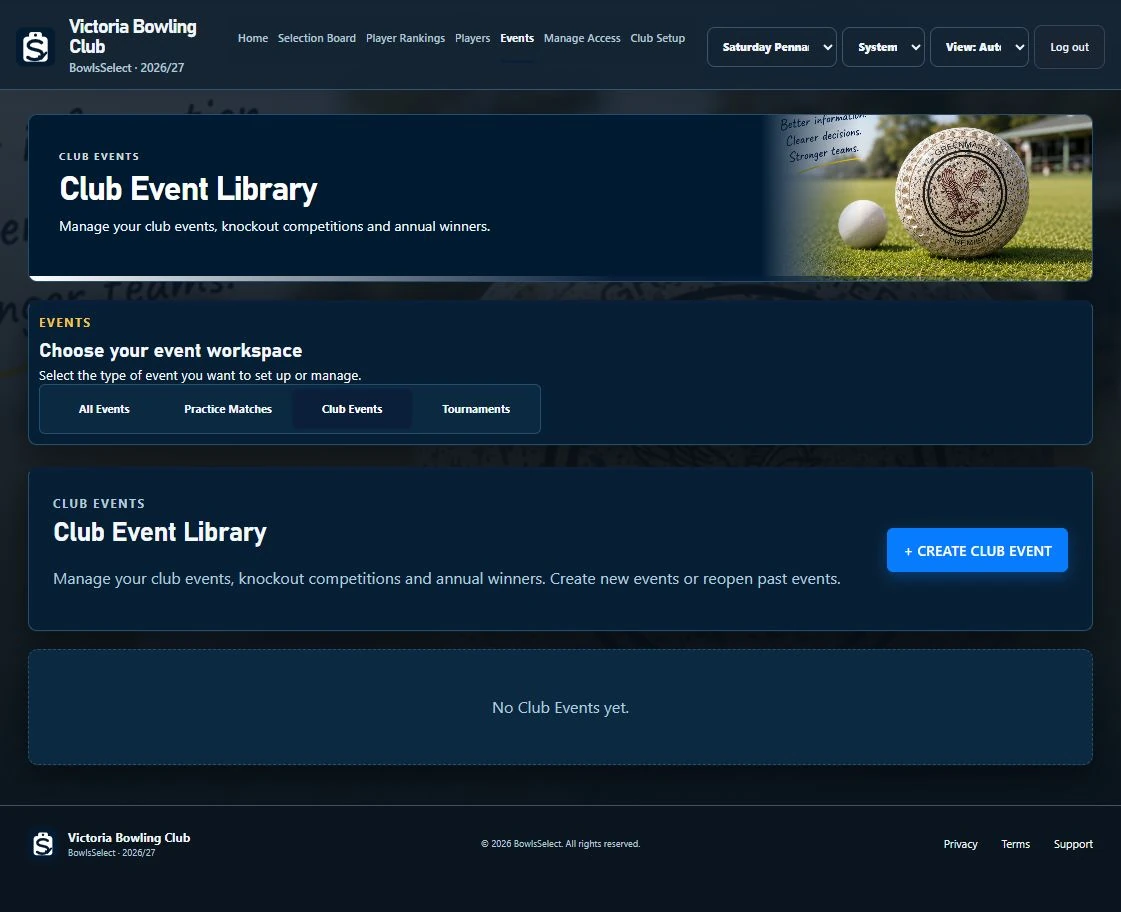
Create member events, build teams, generate knockout draws and retain annual winners.
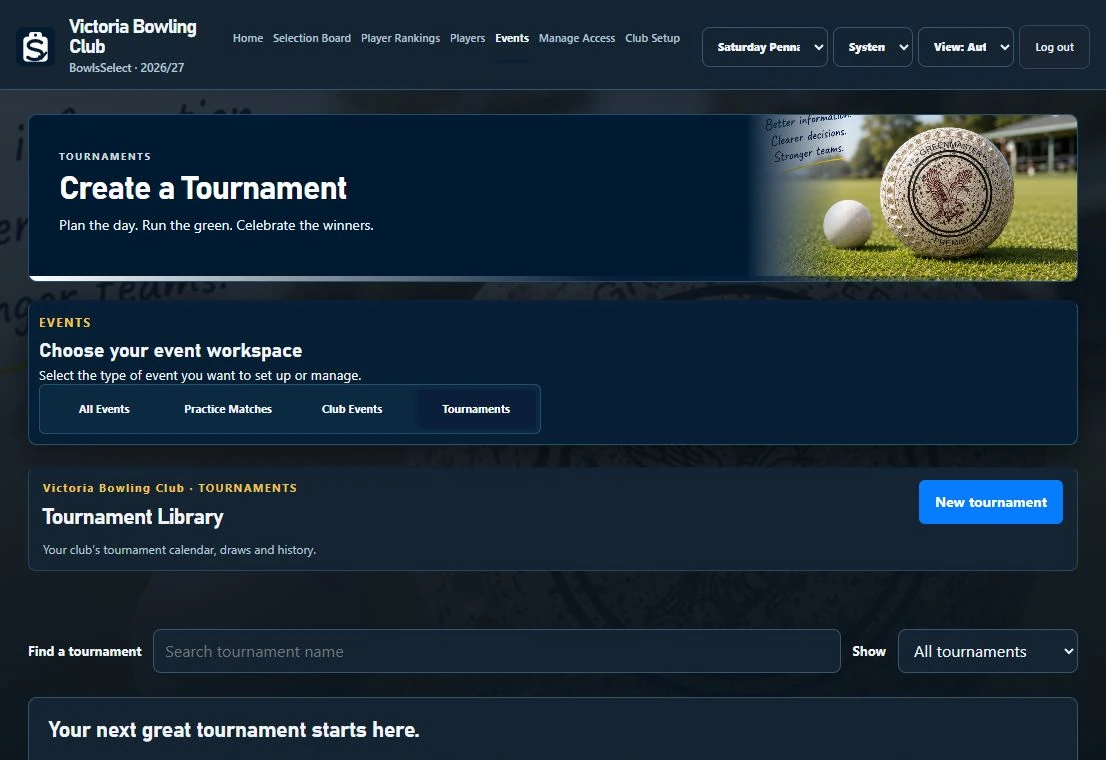
Manage teams, surfaces, rinks, fair draws, results, standings and live display.
BowlsLink
Find your club and competitions using public BowlsLink Results data. Bring names from available previous-season team sheets into your player pool, then choose historical seasons in Player Rankings. Weekly results imports keep current-season evidence up to date.
BowlsSelect is currently in discussions with Bowls Australia about official channels for working with BowlsLink. Any future official connection will be communicated once an approved pathway is available.
Outputs & Communication
Use Team Sheet PDFs, Team Stickers where configured, downloadable event fixtures and data exports to move information out of the system cleanly.
Where communication is enabled, BowlsSelect can reuse the contact information the club already maintains for legitimate club purposes.
Desktop and touch
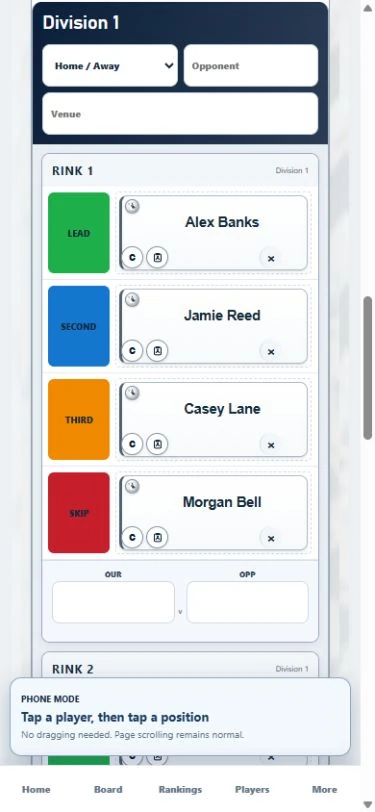
Use BowlsSelect on a desktop or laptop, Microsoft Surface, iPad or phone without learning a different selection method.
Manuals & Support
Use the manual that matches the job you are doing. The live BowlsSelect screen remains authoritative if a label or layout changes between releases.
Everyday selection, availability, player information, messaging, Events and outputs, plus Performance Centre ratings and private reviewer links.
Download General User Manual 40 pages · Updated 1 November 2026 · Performance Centre includedCommittee workflow and Shared Master publication, plus Performance Centre lineup checks, reviewer invitations, phone messaging and submissions.
Download Chairperson Manual 36 pages · Updated 1 November 2026 · Performance Centre includedClub setup, competitions, roster, contacts and access, plus activating Performance Centre, participating divisions and safe review-link management.
Download Owner & Administrator Manual 39 pages · Updated 1 November 2026 · Performance Centre includedNew to BowlsSelect? Start with the club onboarding and competitions guide. It covers automatic player import, rankings history and adding another competition.
Start with your club’s BowlsSelect Owner or administrator. For product support, contact BowlsSelect.
The founder story
Shaun O’Loughlin tried the same workarounds many selectors know: paper notes, spreadsheets and even a miniature magnetic board.
The useful part was always the same: see every player, move the magnets and keep the selection conversation visible. BowlsSelect grew from making that familiar process available wherever the committee works.
Victoria Bowling Club in Ballarat is BowlsSelect’s primary proving ground. Real selection nights and administration problems help expose what works and what does not.
“Technology should make the bowls job easier. Warnings and rankings inform decisions. The committee still selects the side.”
FAQ
Choose Get Started, find your club, choose its first competition and review the board. Leave the previous-season player-pool option selected to import available names after approval. Nominate the club Owner and submit the setup. Once approved, review the player list and use Player Rankings to choose historical seasons.
Yes. After approval, the Owner can use Let’s Start Selecting in the Selection Hub to add another competition. Each keeps its own sides, boards and competition access. A verified BowlsLink-linked competition automatically imports its player pool from available previous-season results after saving; manual competitions start blank. Rankings history is separate. Use the competition menu to move between them.
The player-pool option uses names on available completed BowlsLink team sheets. Review that list and add newcomers or members who are missing. Rankings history is a separate import where an authorised Owner or Chairperson chooses the available previous seasons. Contact details are maintained separately.
No. BowlsSelect supports selectors with a visual board, useful evidence, warnings and optional starting suggestions. The committee remains responsible for the final selection.
My Board is a selector’s private working selection. Shared Master is the official competition board used for the club’s agreed selection.
Yes. Drag magnets with a mouse. On a phone or tablet, tap a player, then tap the destination. Tap an occupied position to swap players.
No. BowlsSelect works alongside BowlsLink and focuses on the club’s selection and administration workflows.
BowlsSelect is currently in discussions with Bowls Australia about official channels for working with BowlsLink. Any future official connection will be communicated once an approved pathway is available.
Performance Centre is an optional club feedback workflow. Owners and Chairpersons confirm Shared Master lineups, prepare individual Skip and Third reviews, and send private links from their own phones. The feature shows individual ratings and separate opponent matchups alongside the existing evidence. BowlsLink Results Rankings remain independent. See the screenshot walkthrough and updated manuals.
Commercial pricing is still being finalised. Contact BowlsSelect for the current trial and launch arrangements before committing your club.
Get Started
BowlsSelect is currently onboarding clubs by approval. Start in the BowlsSelect Selection Hub, prepare your club and first competition, then submit the finished setup for Founder approval.
New clubs use the same BowlsSelect Selection Hub. Continue Selecting unlocks only after BowlsSelect administration approves the nominated Owner.
Legal
BowlsSelect stores the account, club, player, selection and support information needed to run the service. Access is role-based and club-scoped. BowlsSelect does not sell club or member data.
The controlled pilot Privacy Policy explains what is collected, why it is used, BowlsLink/public-data handling, support requests and deletion enquiries.
Read Privacy PolicyLegal
BowlsSelect is currently available through Founder-approved club trials. Clubs remain responsible for their selections, the accuracy of information they enter and ensuring only authorised people receive access.
External integrations may change as official data-access arrangements evolve.
Read Pilot Terms of UseWebsite measurement helps us improve BowlsSelect. We use a random browser identifier for up to 30 days to measure visits, active reading time and progress through club setup. We do not record form contents or player information. Browser privacy signals and your opt-out are respected. How measurement works.